
BEST ADVANCE EXCEL TRAINING IN PUDUCHERRY
Are You Searching for ADVANCE EXCEL Course Near Me
ADVANCE EXCEL
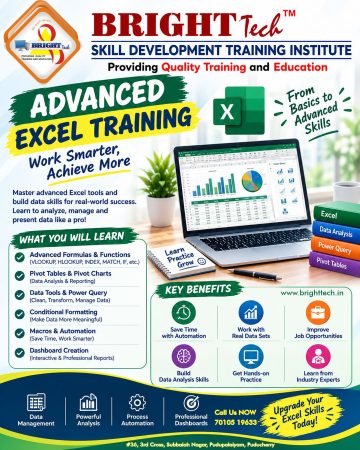
Course provides training based on creating and managing Spreadsheets for Daily Expense Report, Supplier / Customer Details, Labour Shift / Timing Details, Stock / Inventory Details, Payroll Information, EPF, ESI, EPF Corpus and Statistical Charts. After learning this short term course you can be an asset of any organization! Best advanced excel training in Puducherry with expert practical experience.
Best Advance Excel Training institute at Pondicherry is Bright tech Training institute.

TOPICS
INTRODUCTION TO EXCEL
What and why is excel | Introduction about workbook and worksheet | Basic Arithmetic Calculations, BODMAS and SIGMA | Daily Transaction report
DATA FORMATTING
All Formatting and Format Painter | Alignments, Merging and Wrapping the text | Data Type (Number)
Conditional Formatting | Insert / Delete workbook components (Cell, Row, Column and Sheet) | Move or copy sheet and Visibility | Filling series of Numbers and Dates | Sorting and Filtering
PIVOT TABLES & PIVOT CHART
What is Pivot Table | Usage of Formulas in Pivot Tables | Filters in Pivot Table | Pivot Table Consolidation | SLICERS and Timelines in Pivot Table | Table with Sales and purchases of companies and their branches
CHARTS
All type of Charts | Usage of Charts (column, Pie, Bar, Line) | Usage of dynamic Ranges in charts | Slicers and Sparklines | Table of yearly product annual sales in month-wise
LINKS
Inserting Hyperlinks | Linking Sheets, Cells, Workbook, Range and Mail
PAGE SETUP
Paper settings like Paper Margin, Orientation and size | Layout settings like Print Area, Page Breaks, Print Titles & applying Background | Scaling, Sheet options (Gridlines & Headings) | A table of Employees Salary statement
CONNECTIONS and DATA TOOLS
Data importing (form Access, Web and Text), Other sources (SQL Server, Oracle and XML) | Advance Sorting and Filtering | Text to Columns and Removing Duplicates | Data validation by Customization of Error Alert and Input Box | Types of alerts (Stop, WARNING and Information), Highlighting the Invalid data | List Box using Data Validation | Data Consolidation and Goal Seek
PROOFING, COMMENTS and PROTECT
Inserting and Editing Comments | Spell check, Track changes (highlight, accept and reject changes), Thesaurus | Protect Sheet, Protect Workbook | Sharing Workbook
OUTLINE
Group and Ungroup | Adding SUBTOTALS to list
VIEW SETUP
Split window and Freeze panes | Workbook views (Normal, Page Break, Page Layout) | Arranging the window (Vertically and Horizontally) | Recording and Running a MACRO
FORMULAS (FUNCTIONS)
Logical Functions (IF, AND, OR, IFERROR AND NESTED IF FUNCTIONS) | Compute Commission to Employees using IF, AND & OR condition | Wages Computation Report using IFERROR | Employee Performance Bonus Report using Nested IF.
Text Functions (CONCATENATE, EXACT, FIND, LEFT, MID, RIGHT, TRIM, CASE, LENGTH, REPEAT, REPLACE, VALUE ) | Concatenating words to a single cell value | Set of Text Manipulation functions with individual case studies.
Math and Trigonometry Functions (CEILING, FLOOR, ROUND, COUNT, SUM, AVERAGE, COUNTIF, SUMIF, AVERAGEIF, COUNTIFS, SUMIFS, AVERAGEIFS, SUMPRODUCT, RANK, SQRT and RANDBETWEEN) | Example stating different rounding methods on decimal digit numbers | Annual Customerwise, Sales Rep. and item based Sales Report (outward) using COUNT, SUM, AVERAGE (IF(S))
Statistical and Information Function (AVERAGE, COUNT, COUNTIF, MAX, MIN, RANK) | Ranking Employees as per their Performance | Generating random numbers between specific range to test MIN, MAX, AVERAGE, COUNT, SUM.
Date & Time Functions (TODAY, NOW, DATE, DAY, MONTH, YEAR, EDATE, EOMONTH, WORKDAY, NETWORKDAYS, WEEKDAY, WEEKNUM, DATEDIF, MINUTE, HOUR) | Computing working days on contract period and Vice Versa using EDATE, EOMONTH, WORKDAY, NETWORKDAYS. Finding Age using TODAY and DATEDIF function | Getting system current data & time using NOW & TODAY Function | Worker Timing Sheet to compute overtime wages for employees using HOUR and MINUTE function
Lookup and References Function (LOOKUP, INDEX, MATCH, VLOOKUP, DOUBLE VLOOKUP, HLOOKUP, XLOOKUP, HYPERLINK) | Absolute Professional example to lookup a data using LOOKUP, INDEX. Finding the position of a value from table using MATCH. Single Pay Slip of Employee using VLOOKUP | Picking right product using order id from a marketing team report to dispatch product using DOUBLE VLOOKUP. Picking product count from table using HLOOKUP | Creating various hyperlinks
Financial Function (PMT, IPMT, PPMT, DB, SYD, SLN) Preparing automatic Loan Repayment Schedule Report using PMT, IPMT, PPMT. Computing different methods of Depreciation for assets valuation using DB, SYD, SLN.
ESI, EPF, Automatic EPF Corpus of Employee from joining till retirement Mature value report.
Defining & managing the name to the range | Formula Audit: Trace Precedents / Trace Dependents | Evaluate Formulas & ERROR Checking | Defining new function SPELLNUMBER
HINTS
Calculating Percentage | Custom date formats in regional languages | Gantt chart on duration of work progress | Error occurs | Cell Reference (Relative, Absolute and Mixed Reference) |Multiple methods to Round a decimal number | Formatting Delimitation from Millions to Lakhs (Comma Separation)